Transparent PNG vs JPG: Which Image Format Is Right for Your Store?
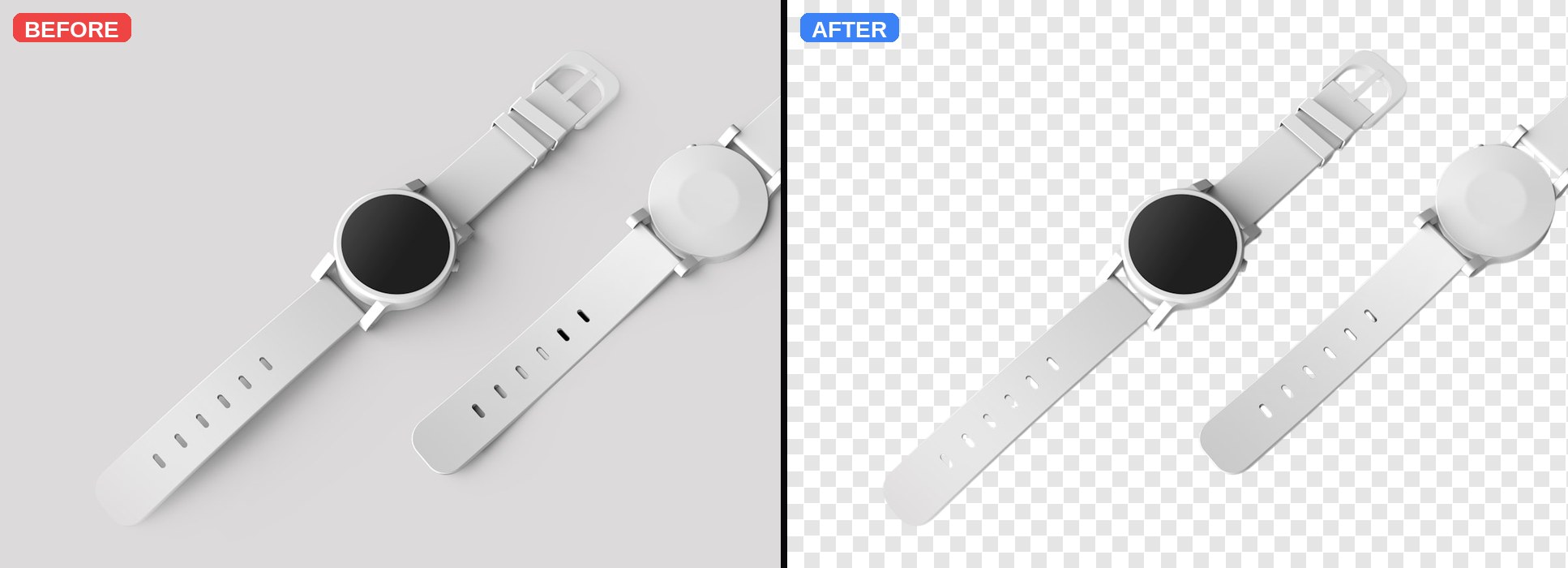
Choose the wrong image format and you either bloat your site (slow loads = lost sales) or lose the transparency your product photos need. Here is the short guide most store owners never get.
The quick answer
Use transparent PNG for: product cutouts, logos, icons, anything that will sit on different backgrounds. Use JPG for: full lifestyle photos, banner images, hero shots, anything with a fixed background where you want the smallest file size.
Why transparency matters for products
A transparent PNG is one image that works on every backdrop — white product pages, coloured category tiles, dark hero banners, social media grids. A JPG bakes the background in. If your site theme changes, you re-shoot. If you run a sale banner, you can't reuse the photo. Transparency = flexibility.
But aren't PNGs huge?
They can be — but not when done right. A well-compressed transparent PNG of a product on a plain background is usually 100-300 KB. A modern image CDN (Cloudflare Images, Shopify's built-in CDN, Next.js Image, etc.) will auto-convert to WebP or AVIF for browsers that support it — which is nearly every browser today. You get transparency AND small files.
When JPG still wins
Lifestyle photos where the entire scene matters (models wearing the product, restaurant interiors, travel scenes). Compressed JPGs of complex scenes are 30-50% smaller than PNGs and the visual difference is invisible. For these, JPG at 80-85% quality is usually the sweet spot.
WebP: the modern middle ground
WebP supports transparency AND compresses better than PNG (roughly 25-35% smaller). If your CMS or CDN supports WebP output, use it. Clearpic currently exports PNG so the transparency channel is fully lossless — most CDNs will convert to WebP automatically before serving.
The SEO angle
Google's Core Web Vitals penalize slow-loading pages. Every KB of image weight counts. Cutting your product images from 2 MB JPGs to 200 KB transparent PNGs (or WebP-converted equivalents) directly improves your Largest Contentful Paint score, which is a ranking factor.
Rule of thumb
If the subject can be pulled off any background without looking wrong, ship it as a transparent PNG. Otherwise, JPG. And let your CDN handle the WebP conversion for you.
Try Clearpic now — free, no signup
Upload any photo and get a clean, background-free PNG in about a second.
Remove a background